Run Telegram Bot on Raspberry Pi

Salman Faris 1 min read
Learn how to use the Telegram Bot, host a Telegram Bot on  your Raspberry Pi, and use the messaging app to interact with  your device.

Step 1: Open Telegram app in your system or mobile

1.1 Open Telegram app in your system or mobile
app.PNG

Download from here: Telegram1.2 Start “BotFather”
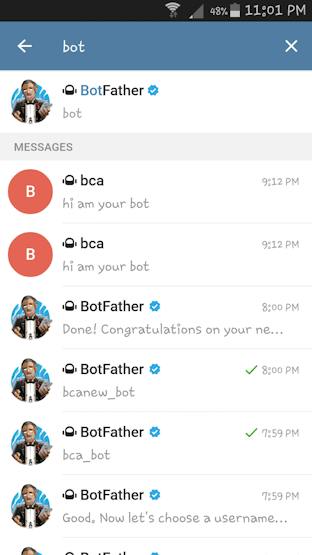
Screenshot_2017-01-04-23-01-23.png

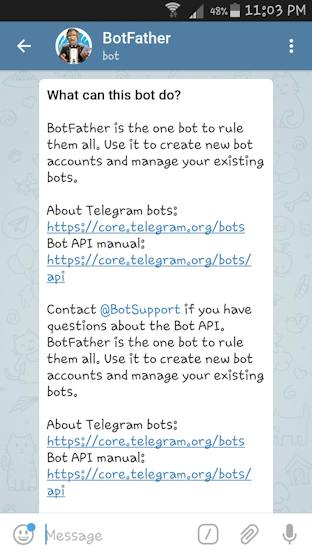
1.3 Open “BotFather”

Screenshot_2017-01-04-23-03-02.png

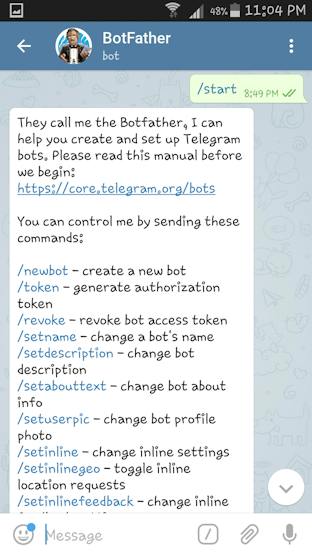
1.4 Start “BotFather”

Screenshot_2017-01-04-23-04-26.png

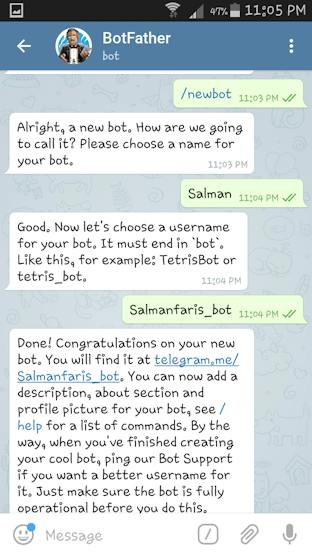
1.5 Create a new Bot

Screenshot_2017-01-04-23-05-28.png

Add an imageDelete this imageBot: Salmanfaris_bot1.6 Obtain access token
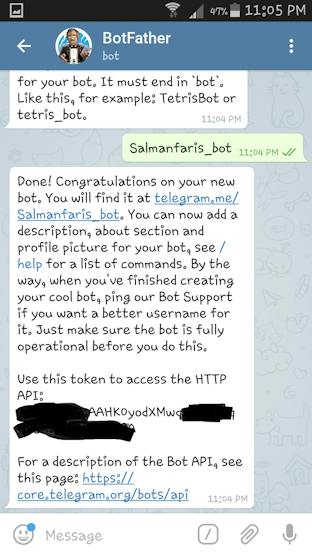
Screenshot_2017-01-04-23-05-41.png

Step 2: Setup Raspberry Pi

For detailed Raspberry click here.Note: If you already set the Pi then skip this section.

Step 3: Install TelegramBot on Raspberry Pi

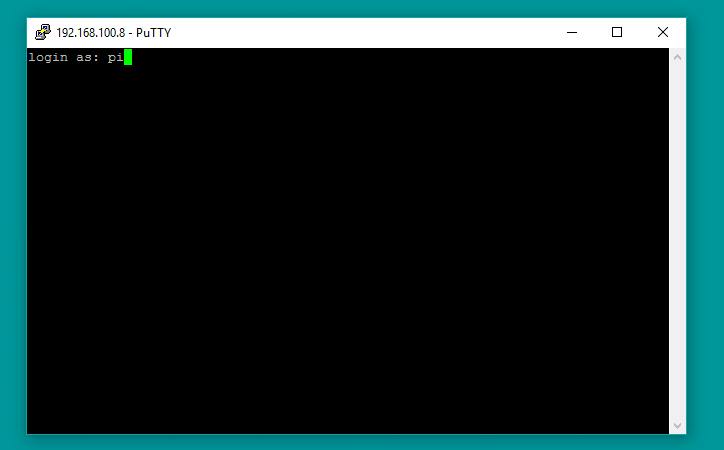
3.1 Open Putty
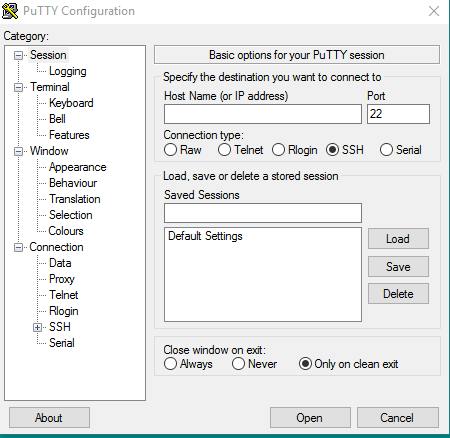
1001.PNG

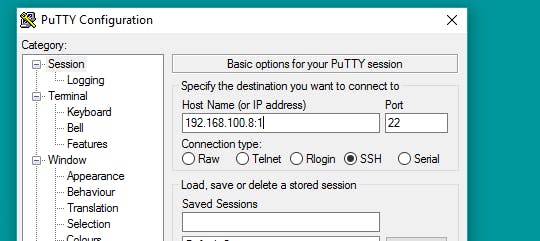
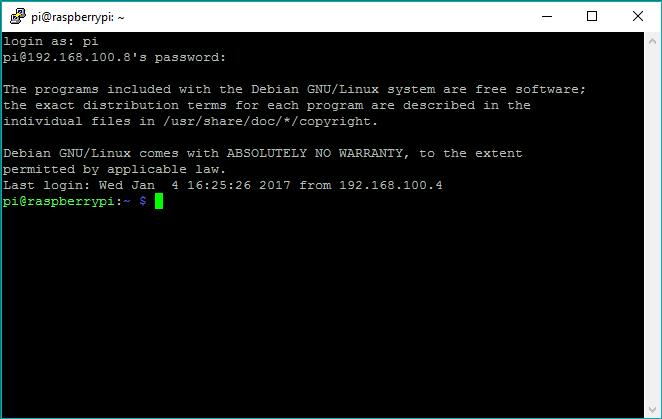
3.2 Connect Pi via SSH

1002.PNG
1003.PNG
1004.PNG

3.3 Install  “Python Package Index”

sudo apt-get install python-pip

1005.PNG

Note: Make sure Pi has internet access
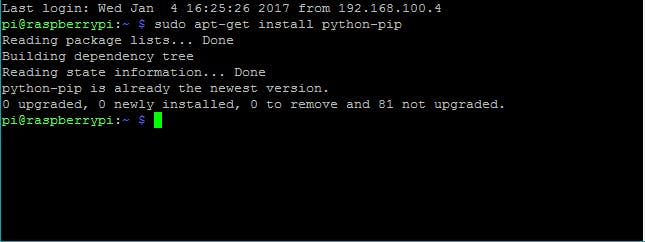
1006.PNG

3.4 Install “telepot”

sudo pip install telepot

1007.PNG

Step 4: Run the Python Code

4.1  Clone the git

git clone https://github.com/salmanfarisvp/TelegramBot.git

4.2 Paste your Bot Token here

bot = telepot.Bot('Bot Token')

Note: 1.6 for more details4.3 Run the Code

python telegrambot.py

All set, now time to connect the Pi and LED.

Step 5: Connect LED to Pi
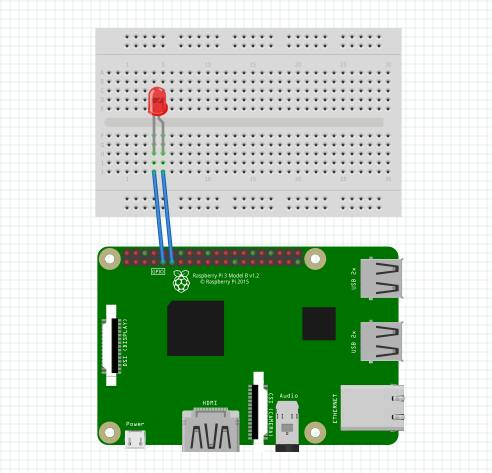
simpl.PNG

Step 6: Send Command

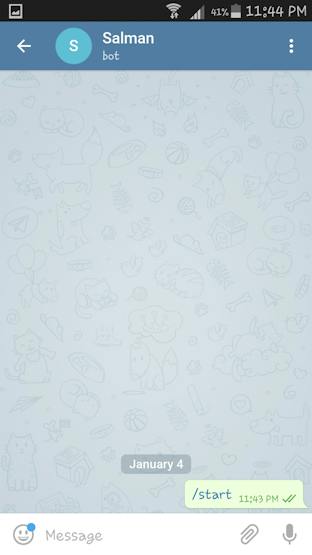
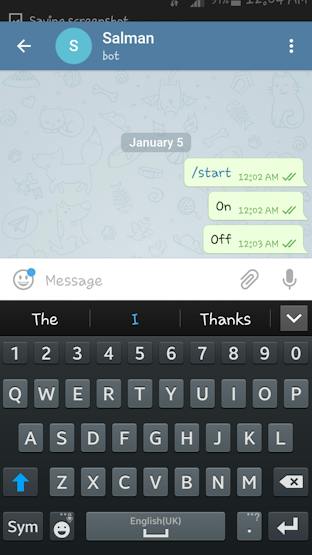
6.1 Start our Bot
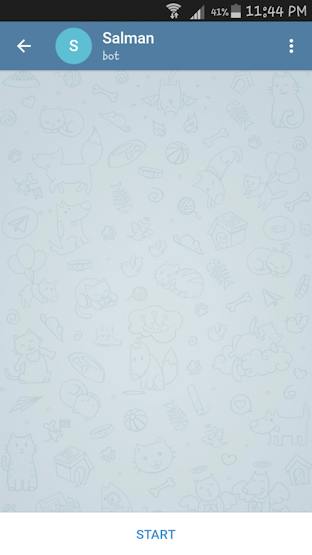
Screenshot_2017-01-04-23-44-12.png
Screenshot_2017-01-04-23-44-46.png

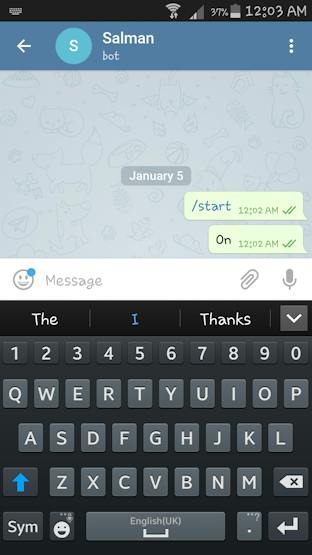
6.2 Send “on” & “off”

Screenshot_2017-01-05-00-03-52.png
Screenshot_2017-01-05-00-04-18.png

Look at your Pi, you can see the LED on and off when you send “on” and “off” to our bot. Thank You!

Keep reading

All posts
stm32debugging

How to debug buffer corruptions - My STM32 case study

Memory corruptions !! The biggest nightmare for security engineers and hacker's jackpots for remote code execution, all of this starts with as simple as missing boundary checks combined with insane memory copy lengths. In this post let's deep dive into one of the similar issues I faced while porting nRF8001 BLE library onto STM32L151 MCU and in the process let us also gain some knowledge here and there about techniques & tools used to debug this kind of issues. Step 1 - Identify What is the p

kowshik Dec 3, 2024 4 min read
rosrobotics

Introduction to ROS 🤖 : Part 1

ROS(Robot Operating System) is a meta-operating system consisting of libraries, tools, packages, etc used to develop a robot application. In this blog post, we are going to look at how to setup ROS in Jetson and create a Gazebo simulation 🙌

Muhammed Zain Apr 24, 2022 9 min read